Power Platform Governance: Taming the Wild West!
Environment strategy
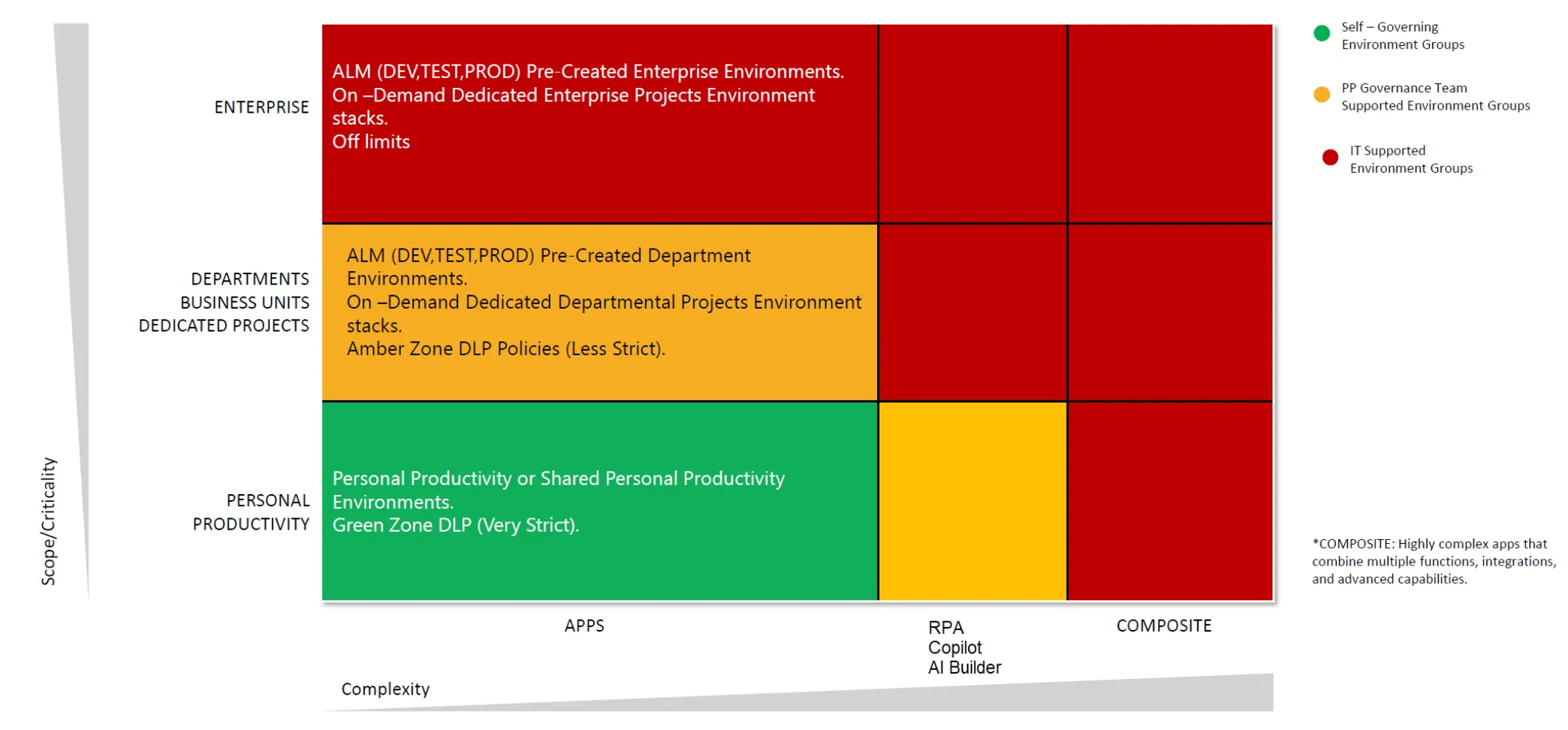
The Power Platform was originally designed as a set of productivity tools for business users. Enterprise-grade features have been added over time, but it’s still mostly adoption-oriented. Governance (rules and setups) should provide guardrails to ensure security – instead of blocking users from using the platform; among other things by defining a clear environment strategy.
Role based access control
Follow the principle of least privilege when assigning roles to users (clear ownership, controlled sharing); use Entra ID security groups to manage access at scale:
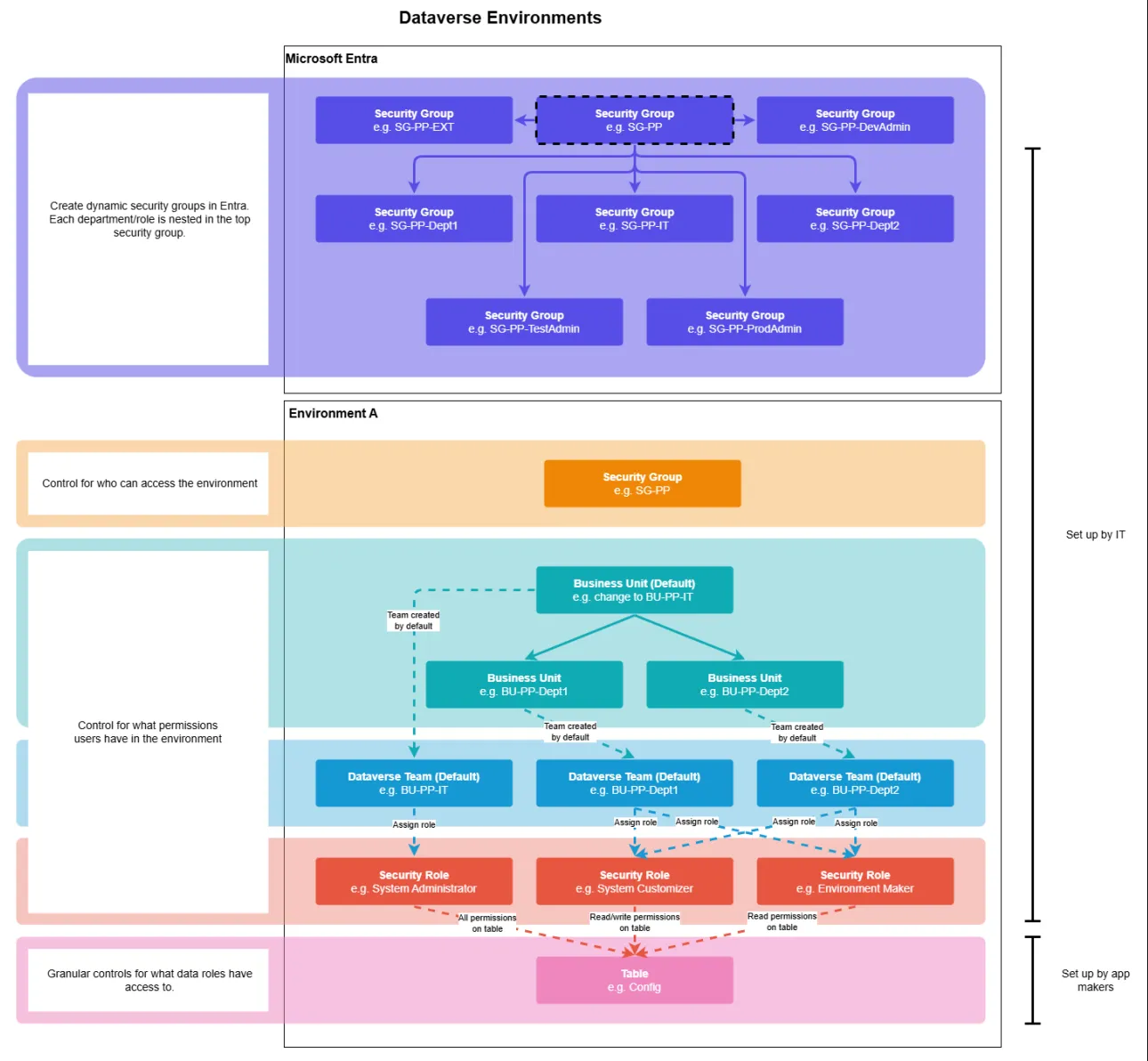
While this approach requires more upfront planning, it pays off in the long run by reducing management overhead and improving security.
Data loss prevention
When it comes to data loss prevention (DLP), consider defininig data policies as well as Advanced Connector Policies based on business needs or best practices:
- Create a “Default environment” that blocks all not allowed connectors (deny by default) and apply it to all environments.
- create a “Default policy (high risk)” that blocks high-risk connectors (e.g., social media, personal cloud storage) and apply it to all environments, except for specific ones (e.g., dedicated, specific development, testing).
- create a “Demo Environments” policy that allows all connectors for demo and training environments.
- Create an “Advanced connectors” that are connected to environment groups
Same relates to policy setups that scope business and non-business connector groups. Also make sure to setup advanced connector policies (preview feature) in order to apply granular control over connectors within the same connector group(s).
CoE Toolkit
The Center of Excellence (CoE) Starter Kit is a set of components and tools that help you build and nurture a CoE within your organization. It provides governance, nurturing, and support capabilities for the Power Platform.
Note
Some of the key features will finding their way to the Power Platform Admin Center over time.
Tenant-wide settings
In terms of a Proper governance strategy, make sure to review and configure the following tenant-wide settings in the Power Platform Admin Center:
- Tenant isolation: this setting will be activated by default (starting from February 2026); don’t rely on Microsoft to do this for you. Instead, plan and setup these settings in advance in context of a Power Platform strategy.
- IP firewall: can be applied to restrict access to the Power Platform services from specific IP address ranges; requires managed environments.
- Desktop flow actions in DLP: with this option enabled, desktop flow action groups are visible when creating or editing DLP policies.
- Who can create environments: limit environment creation to specific security groups.
- Who can share apps/flows: limit app and flow sharing to specific security groups.
- Capacity allocations: manage and allocate capacity across environments and workloads.